
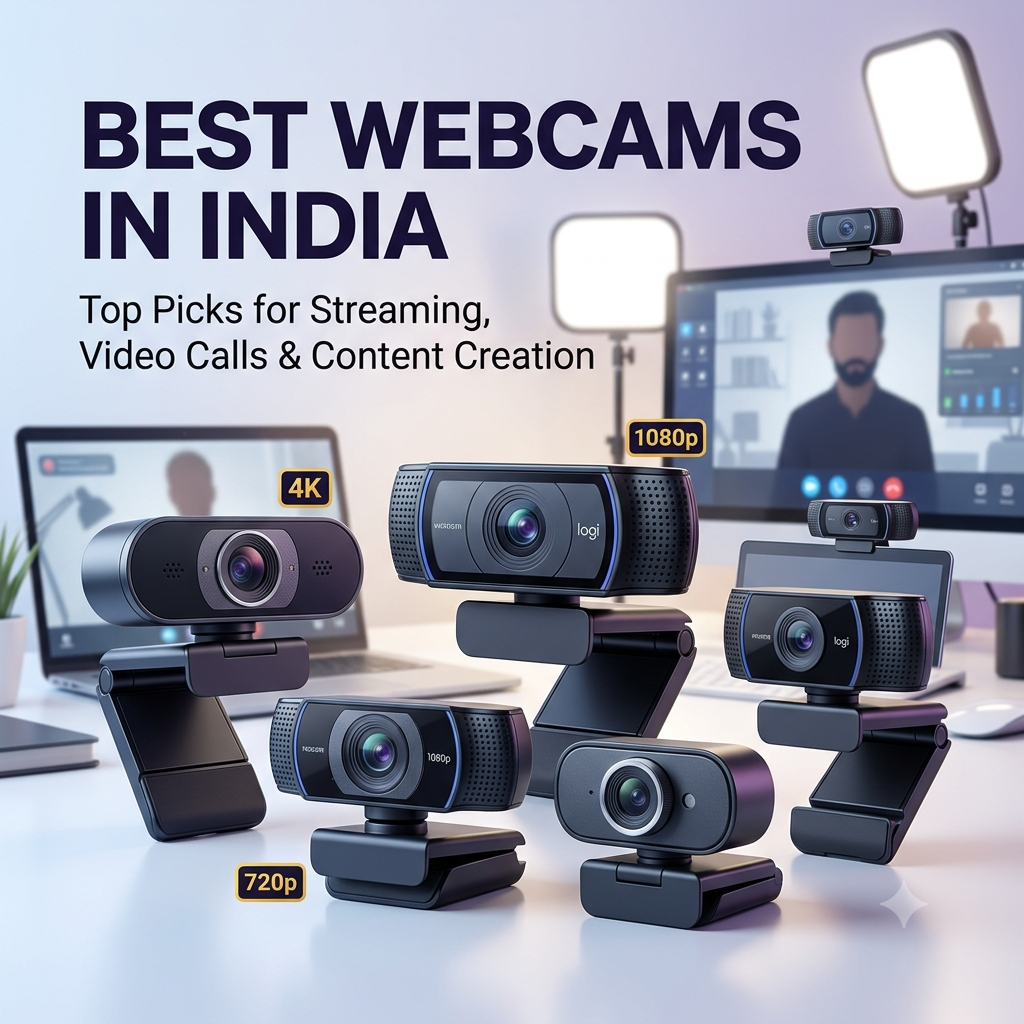
Webcams have become essential tools for remote work, online education, content creation, live streaming, and video conferencing. Whether you’re a teacher conducting online classes, a YouTuber creating content, a professional attending virtual meetings, or a streamer broadcasting gameplay, a good webcam can significantly improve your video quality and audience engagement. With options ranging from budget 720p cameras to premium 4K webcams with advanced features like autofocus, noise-cancelling mics, and wide field of view, choosing the right one can be challenging. To help you make an informed decision, we’ve compiled a comprehensive list of the best webcams in India across different resolutions, features, and price ranges.
Top Webcams in India
1. evota 4K Webcam
- Resolution: 4K Ultra HD for exceptional video clarity
- Best For: Educators, YouTubers, teachers, training, coaching, and institutes
- Features: 4K video recording and streaming
- Connectivity: USB plug-and-play for PC and laptop
- Use Cases: Online teaching, content creation, professional video calls
- Compatibility: Windows, macOS, Linux
- Best for: Professional educators and content creators needing 4K quality
2. Logitech C920 HD Pro Webcam
- Resolution: Full HD 1080p at 30fps
- Lens: Premium glass lens with autofocus
- Field of View: 78° diagonal for natural framing
- Audio: Dual stereo microphones with automatic noise reduction
- Features: HD light correction for optimal image in various lighting
- Mounting: Universal clip fits laptops, LCD monitors, and tripods
- Compatibility: Works with Skype, Zoom, Google Meet, OBS, and more
- Certification: Skype certified, works with Windows, macOS, Chrome OS
- Best for: Professionals and content creators wanting reliable, proven quality
3. PeopleLink Nova X10 4K Webcam for PC
- Resolution: Ultra 4K HD for stunning video quality
- Focus: Advanced PDAF (Phase Detection Auto Focus) for fast, accurate focusing
- Lighting: Automatic light balance adjustment for optimal exposure
- Audio: Dual noise-cancelling microphones for clear audio
- Privacy: Built-in privacy cover to protect when not in use
- Field of View: 110° wide-angle for group calls and streaming
- Use Cases: Business meetings, live streaming, video conferencing
- Compatibility: PC, laptop, Windows, macOS
- Best for: Business professionals and streamers wanting 4K with advanced autofocus
4. iBall PHOCUS 40A 4K 30FPS UHD Webcam
- Resolution: 4K UHD at 30fps for ultra-clear video
- Sensor: 8MP image sensor for detailed capture
- Focus: Autofocus for sharp images at various distances
- Lighting: Auto light correction and auto exposure
- Flexibility: 360° rotation and tilt adjustable for perfect angles
- Privacy: Privacy slider to cover lens when not in use
- Mounting: Tripod mount included for flexible positioning
- Audio: Built-in microphone
- Connectivity: USB plug-and-play for PC and laptop
- Best for: Users wanting 4K quality with flexible positioning and tripod support
5. Zebronics Live Pro FHD USB Webcam
- Resolution: Full HD 1080p for clear video
- Connectivity: USB plug-and-play
- Features: Zebronics reliability and build quality
- Use Cases: Video calls, online classes, streaming
- Compatibility: PC, laptop, Windows, macOS
- Best for: Budget-conscious users wanting reliable FHD quality from trusted brand
6. SJCAM C200 Action Camera
- Type: Action camera (can be used as webcam)
- Resolution: High-resolution video recording
- Features: Compact, portable design for action shots
- Use Cases: Action recording, vlogging, can function as webcam
- Mounting: Versatile mounting options for various activities
- Best for: Content creators wanting versatile action camera that doubles as webcam
7. ZEBRONICS Pure Plus 4K Webcam
- Resolution: 4K Ultra HD for exceptional clarity
- Connectivity: USB plug-and-play
- Features: 4K video capture and streaming
- Use Cases: Professional video calls, content creation, streaming
- Compatibility: PC, laptop, Windows, macOS
- Best for: Users wanting affordable 4K webcam from trusted Zebronics brand
8. FRONTECH Webcam 2255 HD 720p
- Resolution: HD 720p for clear video calls
- Connectivity: USB plug-and-play
- Features: Compact design, easy setup
- Use Cases: Basic video conferencing, online classes
- Compatibility: PC, laptop, Windows, macOS
- Best for: Budget users needing basic HD webcam for everyday video calls
9. TECHNOVIEW Crisp Pro Digital Zoom 720P Web Camera
- Resolution: HD 720p at 24fps
- Lens: 5P HD quality lens for clear images
- Sensor: CMOS image sensor
- Features: Digital zoom capability
- Lighting: Auto white vision, night vision
- Audio: Built-in microphone
- Control: Manual switch for LED
- Design: Black finish
- Best for: Budget users wanting 720p with digital zoom and night vision
10. Full HD 1080P Webcam for PC & Laptop
- Resolution: Full HD 1080p for clear video
- Audio: Built-in noise cancellation microphone
- Connectivity: USB plug-and-play, no drivers needed
- Use Cases: Online classes, video conferencing, streaming
- Design: Compact black design
- Compatibility: PC, laptop, Windows, macOS
- Best for: Users wanting affordable 1080p webcam with noise-cancelling mic
Webcam Comparison Table
| Webcam Model | Resolution | Frame Rate | Key Features | Best For |
|---|---|---|---|---|
| evota 4K | 4K UHD | Not specified | 4K video, plug-and-play | Educators, YouTubers, professionals |
| Logitech C920 HD Pro | 1080p | 30fps | Autofocus, dual mics, HD light correction | Professionals, content creators |
| PeopleLink Nova X10 | 4K UHD | Not specified | PDAF autofocus, light balance, dual noise-cancelling mics, 110° FOV, privacy cover | Business meetings, live streaming |
| iBall PHOCUS 40A | 4K UHD | 30fps | 8MP sensor, autofocus, 360° rotation, tilt, privacy slider, tripod mount | Streaming, flexible positioning |
| Zebronics Live Pro | 1080p FHD | Not specified | USB plug-and-play, Zebronics quality | Budget FHD, trusted brand |
| SJCAM C200 | Action Camera | Not specified | Compact, portable, versatile mounting | Action recording, vlogging |
| ZEBRONICS Pure Plus | 4K UHD | Not specified | 4K video, USB plug-and-play | Affordable 4K, trusted brand |
| FRONTECH 2255 | 720p HD | Not specified | Compact, easy setup | Basic video calls, budget option |
| TECHNOVIEW Crisp Pro | 720p HD | 24fps | Digital zoom, 5P lens, night vision, auto white vision | Budget with zoom features |
| Full HD 1080P Generic | 1080p FHD | Not specified | Noise cancellation mic, plug-and-play | Online classes, video conferencing |
Tip for mobile users: Swipe horizontally across the comparison table to view all columns.
How to Choose the Right Webcam
1. Select the Right Resolution
Resolution determines video clarity:
- 720p HD: Basic video calls, online classes, budget option (FRONTECH 2255, TECHNOVIEW Crisp Pro)
- 1080p Full HD: Professional video calls, streaming, content creation (Logitech C920, Zebronics Live Pro, generic 1080p)
- 4K UHD: Premium quality for professional content, YouTube, high-end streaming (evota 4K, PeopleLink Nova X10, iBall PHOCUS 40A, ZEBRONICS Pure Plus)
2. Consider Frame Rate
Frame rate affects smoothness:
- 24-30fps: Standard for video calls and streaming (most webcams in this list)
- 60fps: Ultra-smooth for fast-motion content (not in this list, higher-end options)
For most users, 30fps is sufficient for video calls and streaming.
3. Check Field of View (FOV)
FOV determines how much of the scene is captured:
- 60-78°: Standard for individual video calls (Logitech C920: 78°)
- 90-110°: Wide-angle for group calls, streaming, showing more background (PeopleLink Nova X10: 110°)
- 120°+: Ultra-wide for large groups or specific use cases
4. Look for Autofocus
Autofocus ensures sharp images at various distances:
- Fixed focus: Sharp at specific distance only (budget 720p webcams)
- Autofocus: Automatically adjusts for sharp images (Logitech C920, PeopleLink Nova X10, iBall PHOCUS 40A)
- PDAF (Phase Detection): Fastest, most accurate autofocus (PeopleLink Nova X10)
5. Check Audio Quality
Built-in microphone quality matters:
- Single mic: Basic audio capture (most budget webcams)
- Dual microphones: Better stereo capture (Logitech C920, PeopleLink Nova X10)
- Noise-cancelling: Reduces background noise (Logitech C920, PeopleLink Nova X10, generic 1080p)
6. Consider Additional Features
Useful features enhance usability:
- Privacy cover/slider: Protects privacy when not in use (PeopleLink Nova X10, iBall PHOCUS 40A)
- Light correction: Adjusts for optimal image in various lighting (Logitech C920, PeopleLink Nova X10, iBall PHOCUS 40A)
- Tripod mount: Flexible positioning (iBall PHOCUS 40A)
- 360° rotation: Full rotational flexibility (iBall PHOCUS 40A)
- Digital zoom: Zoom capability (TECHNOVIEW Crisp Pro)
- Night vision: Low-light performance (TECHNOVIEW Crisp Pro)
7. Check Compatibility
Ensure the webcam works with your system:
- USB plug-and-play: Universal compatibility, no drivers needed (all webcams in this list)
- OS support: Windows, macOS, Linux, Chrome OS
- Software compatibility: Works with Zoom, Skype, Google Meet, OBS, Teams, etc.
8. Match Your Budget
Webcams in India range from ₹1,000 to ₹15,000+:
- ₹1,000-₹2,000: 720p HD basic webcams (FRONTECH 2255, TECHNOVIEW Crisp Pro)
- ₹2,000-₹4,000: 1080p Full HD (Zebronics Live Pro, generic 1080p, Logitech C920 on sale)
- ₹4,000-₹8,000: 4K UHD (evota 4K, ZEBRONICS Pure Plus, PeopleLink Nova X10, iBall PHOCUS 40A)
- ₹8,000+: Premium 4K with advanced features (Logitech Brio 4K, not in this list)
What Can You Use a Webcam For?
Webcams excel in various scenarios:
- Video Conferencing: Professional video calls on Zoom, Teams, Google Meet
- Online Teaching: Conducting classes, tutoring, coaching sessions
- Live Streaming: Broadcasting on YouTube, Twitch, Facebook Live
- Content Creation: YouTube videos, tutorials, vlogs
- Remote Work: Virtual meetings, presentations, collaboration
- Online Interviews: Job interviews, client meetings
- Social Calls: Connecting with family and friends
- Webinars: Hosting and participating in online events
- Recording: Creating video content, tutorials, demonstrations
Webcam Price Range in India
Prices vary based on resolution, features, and brand:
- ₹1,000 – ₹2,000: 720p HD basic webcams (FRONTECH 2255, TECHNOVIEW Crisp Pro)
- ₹2,000 – ₹4,000: 1080p Full HD (Zebronics Live Pro, generic 1080p, Logitech C920)
- ₹4,000 – ₹8,000: 4K UHD (evota 4K, ZEBRONICS Pure Plus, PeopleLink Nova X10, iBall PHOCUS 40A)
- ₹8,000+: Premium 4K with advanced features (Logitech Brio 4K, Razer Kiyo Pro)
Frequently Asked Questions
Which webcam is best for online teaching?
For online teaching, the Logitech C920 HD Pro offers excellent 1080p quality, reliable autofocus, and dual microphones at a proven track record. For premium 4K quality, the evota 4K Webcam and PeopleLink Nova X10 provide exceptional clarity for professional educators and coaching institutes.
Which webcam is best for YouTube and content creation?
For YouTube and content creation, 4K webcams like the evota 4K, PeopleLink Nova X10, and iBall PHOCUS 40A offer superior video quality. The Logitech C920 remains a popular choice for 1080p creators due to its reliability and excellent color accuracy.
Is 4K webcam worth it over 1080p?
4K webcams offer 4x the resolution of 1080p, providing significantly sharper video for professional content, YouTube, and high-end streaming. However, 4K requires more bandwidth and processing power. For standard video calls and casual streaming, 1080p (Logitech C920, Zebronics Live Pro) is sufficient and more bandwidth-efficient.
Do I need a separate microphone with a webcam?
Most webcams include built-in microphones adequate for video calls and casual streaming. However, for professional content creation, podcasting, or critical audio quality, a dedicated USB microphone or headset will provide superior audio compared to built-in webcam mics.
What’s the difference between 720p, 1080p, and 4K webcams?
- 720p (HD): 1280×720 resolution, basic quality for budget video calls
- 1080p (Full HD): 1920×1080 resolution, 2.25x more pixels than 720p, standard for professional use
- 4K (UHD): 3840×2160 resolution, 4x more pixels than 1080p, premium quality for content creation
Higher resolution provides sharper, more detailed video but requires more bandwidth and processing power.
Can action cameras be used as webcams?
Yes, action cameras like the SJCAM C200 can function as webcams with appropriate software or capture cards. They offer excellent video quality and flexibility but may require additional setup compared to dedicated webcams.
Do webcams work with all video conferencing software?
Yes, USB plug-and-play webcams work with all major video conferencing platforms including Zoom, Google Meet, Microsoft Teams, Skype, WhatsApp, and streaming software like OBS. Simply select the webcam in the software’s video settings.
Final Verdict
The best webcam depends on your specific needs, budget, and use case:
- Best Overall: Logitech C920 HD Pro – Proven 1080p quality, reliable autofocus, dual stereo mics, HD light correction, and universal compatibility for professionals and content creators.
- Best 4K for Educators: evota 4K Webcam – Exceptional 4K clarity designed specifically for educators, YouTubers, teachers, and coaching institutes.
- Best 4K with Advanced Features: PeopleLink Nova X10 – 4K resolution with PDAF autofocus, 110° wide-angle, dual noise-cancelling mics, and privacy cover for business and streaming.
- Best 4K with Flexibility: iBall PHOCUS 40A – 4K at 30fps, 8MP sensor, 360° rotation, tilt adjustment, tripod mount, and privacy slider for versatile positioning.
- Best Budget 1080p: Zebronics Live Pro FHD – Reliable Full HD quality from trusted Zebronics brand at affordable pricing.
- Best Affordable 4K: ZEBRONICS Pure Plus 4K – 4K resolution at competitive pricing with Zebronics reliability.
- Best Budget 720p: FRONTECH Webcam 2255 – Basic HD quality for everyday video calls at budget-friendly pricing.
- Best Value 1080p: Full HD 1080P Generic – Affordable 1080p with noise-cancelling microphone for online classes and video conferencing.
Before purchasing, consider your primary use case (video calls, streaming, content creation, teaching), required resolution (720p/1080p/4K), important features (autofocus, privacy cover, wide-angle), and budget. Check current prices and availability on Amazon, as deals and stock vary frequently.
💡 Did You Know?
Interesting Facts About Webcams
- ✓ The Logitech C920, released in 2012, remains one of the most popular webcams in 2026 due to its reliable 1080p quality, excellent autofocus, and dual stereo microphones – proving that proven technology often outperforms newer budget alternatives.
- ✓ 4K webcams capture 4x more detail than 1080p webcams (3840×2160 vs 1920×1080), making them ideal for professional content creators, educators, and streamers who want their audience to see every detail clearly.
- ✓ Wide-angle field of view (110° on PeopleLink Nova X10) allows you to capture more of your environment, making it perfect for group video calls, showing your workspace, or streaming with background elements visible.
- ✓ Privacy covers and sliders (featured on PeopleLink Nova X10 and iBall PHOCUS 40A) have become standard security features on modern webcams, allowing users to physically block the lens when not in use to prevent potential unauthorized access.
- ✓ Autofocus technology in webcams like the Logitech C920 and PeopleLink Nova X10 uses phase detection or contrast detection to automatically adjust focus, ensuring you stay sharp even when moving closer or farther from the camera – a feature especially useful for dynamic presentations and streaming.