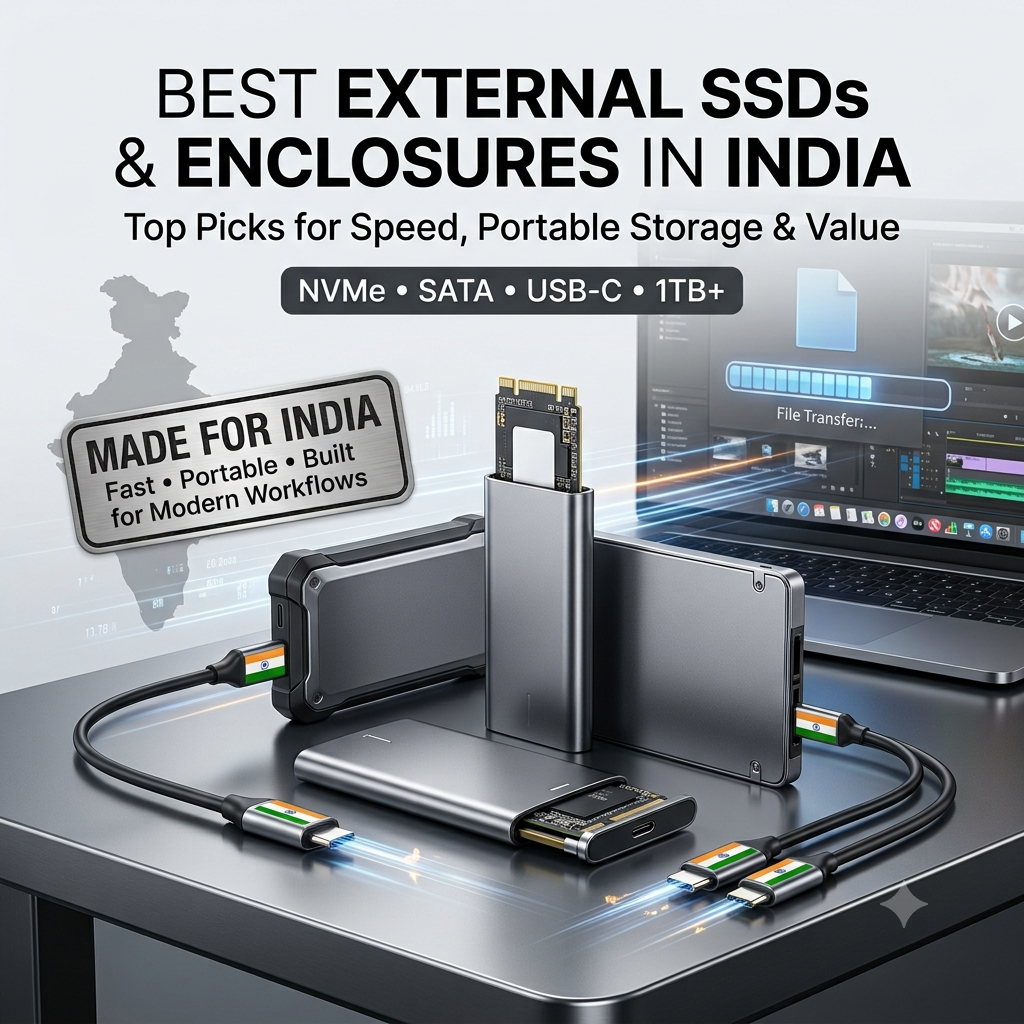
External SSDs and SSD/HDD enclosures have become essential tools for professionals, content creators, gamers, and anyone needing fast, portable storage. Whether you’re backing up important files, transferring large videos, expanding your laptop’s storage, or creating a portable drive from an old SSD, the right external storage solution can dramatically improve your workflow. With options ranging from premium portable SSDs like the SanDisk Extreme to budget-friendly enclosures that convert internal SSDs into external drives, choosing the right option can be confusing. To help you make an informed decision, we’ve compiled a comprehensive list of the best external SSDs and enclosures in India across different types, capacities, and price ranges.
Top External SSDs & Enclosures in India
1. SanDisk 1TB Extreme Portable SSD
- Capacity: 1TB high-capacity portable storage
- Interface: USB 3.2 Gen 2 (USB-C) for ultra-fast transfers
- Speed: Up to 1,050 MB/s read speeds
- Durability: IP55 water and dust resistance
- Design: Rugged, compact design with carabiner loop for portability
- Security: 256-bit AES hardware encryption
- Compatibility: Works with PC, Mac, USB-C smartphones, tablets, and gaming consoles
- Features: Shock-resistant solid-state core and forged aluminum chassis
- Best for: Professionals, photographers, and videographers needing fast, durable portable storage
2. Cablet 2.5 Inch SATA USB 3.0 HDD/SSD Portable External Enclosure (Yellow)
- Compatibility: 2.5-inch SATA HDD/SSD with 7mm and 9.5mm height support
- Interface: USB 3.0 for fast data transfer
- Speed: Supports UASP protocol for optimized performance
- Capacity Support: Up to 6TB drives
- Design: Tool-free design for easy installation
- Color: Yellow finish
- Features: Plug-and-play with no drivers needed
- Compatibility: Windows, macOS, Linux
- Best for: Converting an old 2.5-inch SATA SSD/HDD into a portable external drive
3. pibox India NVMe M.2 Tool-Free SSD Enclosure with USB 3.2
- Compatibility: NVMe M.2 SSD with M-key and B+M key support
- Interface: USB 3.2 Gen 2 Type-C
- Speed: Up to 10Gbps transfer speeds
- Design: Tool-free installation for easy setup
- Material: Aluminum alloy for improved heat dissipation
- Features: Plug-and-play and compact portable design
- Compatibility: Windows, macOS, Linux, Android
- Best for: Converting an NVMe M.2 SSD into an ultra-fast external portable drive
4. Cablet 2.5 Inch SATA USB 3.0 HDD/SSD Portable External Enclosure (Red)
- Compatibility: 2.5-inch SATA HDD/SSD with 7mm and 9.5mm height support
- Interface: USB 3.0 for fast data transfer
- Speed: Supports UASP protocol for optimized performance
- Capacity Support: Up to 6TB drives
- Design: Tool-free design for easy installation
- Color: Red finish
- Features: Plug-and-play with no drivers needed
- Compatibility: Windows, macOS, Linux
- Best for: Converting an old 2.5-inch SATA SSD/HDD into a portable external drive
5. PiBOX India 2.5 inch Hard Drive Enclosure USB 3.1 Type-C to SATA III
- Compatibility: 2.5-inch SATA HDD/SSD
- Interface: USB 3.1 Type-C for modern connectivity
- Speed: SATA III 6Gbps interface
- Design: Compact and portable aluminum design
- Features: Tool-free installation and plug-and-play operation
- Compatibility: Windows, macOS, Linux, and USB-C devices
- Best for: Users wanting USB-C connectivity for 2.5-inch SATA drives
6. ZEBRONICS ZEB-SD52 SSD 512GB
- Capacity: 512GB internal SSD that can be used with an enclosure
- Interface: SATA III 6Gb/s
- Form Factor: 2.5-inch, 7mm
- Read Speed: Up to 550 MB/s
- Write Speed: Up to 500 MB/s
- Technology: 3D NAND flash
- Features: Plug-and-play with no drivers needed
- Compatibility: Windows, macOS, Linux
- Warranty: 3-year Zebronics warranty
- Best for: Budget 512GB internal SSD that can be converted to external storage with an enclosure
7. GEONIX PowerShell S3 500GB Portable External Hard Drive
- Capacity: 500GB portable external storage
- Type: Complete external SSD with drive and enclosure
- Interface: USB 3.0 with UASP support
- Form Factor: 2.5-inch portable enclosure
- Speed: Up to 5Gbps transfer rate
- Features: Plug-and-play with no external power required
- Compatibility: Windows, macOS, Linux
- Design: Compact black portable design
- Best for: Users needing a ready-to-use 500GB external portable SSD
8. Consistent 2.5 1TB SSD with SATA III Interface
- Capacity: 1TB storage capacity
- Interface: SATA III 6Gb/s
- Form Factor: 2.5-inch, 7mm
- Read Speed: Up to 550 MB/s
- Write Speed: Up to 500 MB/s
- Technology: 3D NAND for reliability
- Features: Low power consumption and silent operation
- Compatibility: Universal SATA support
- Durability: Shockproof design
- Best for: Budget 1TB internal SSD that can be converted to external storage with an enclosure
9. EVM M.2 SSD External Enclosure USB 3.1 Gen 2 Type-C
- Compatibility: M.2 NVMe SSD with M-key support
- Interface: USB 3.1 Gen 2 Type-C
- Speed: Up to 10Gbps transfer speeds
- Design: Compact aluminum enclosure
- Features: Tool-free installation and plug-and-play operation
- Compatibility: Windows, macOS, Linux, USB-C devices
- Best for: Converting an M.2 NVMe SSD into a fast external drive with a trusted EVM brand
10. Teknivo NVME & M.2 SATA SSD 2-in-1 Enclosure
- Compatibility: NVMe M.2 and M.2 SATA SSDs with 2-in-1 support
- Interface: USB 3.1 Type-C
- Speed: Up to 10Gbps high-speed transfer
- Design: Compact plastic housing
- Features: Universal compatibility with both NVMe and SATA M.2 SSDs
- Compatibility: Windows, macOS, Linux
- Color: Black finish
- Best for: Users wanting a versatile enclosure supporting both NVMe and M.2 SATA SSDs
External SSD & Enclosure Comparison Table
| Product | Type | Capacity | Interface | Max Speed | Key Features |
|---|---|---|---|---|---|
| SanDisk Extreme Portable SSD | Complete External SSD | 1TB | USB 3.2 Gen 2 Type-C | 1,050 MB/s | IP55 rated, rugged, encryption, 1050MB/s |
| Cablet 2.5" SATA Enclosure (Yellow) | Enclosure Only | Up to 6TB (drive not included) | USB 3.0 | 5Gbps | Tool-free, UASP, 7mm/9.5mm support |
| pibox NVMe M.2 Enclosure | Enclosure Only | NVMe M.2 SSD (not included) | USB 3.2 Gen 2 Type-C | 10Gbps | Tool-free, aluminum, NVMe support |
| Cablet 2.5" SATA Enclosure (Red) | Enclosure Only | Up to 6TB (drive not included) | USB 3.0 | 5Gbps | Tool-free, UASP, 7mm/9.5mm support |
| PiBOX 2.5" USB-C Enclosure | Enclosure Only | 2.5" SATA (drive not included) | USB 3.1 Type-C | 6Gbps | USB-C, SATA III, tool-free |
| ZEBRONICS ZEB-SD52 | Internal SSD | 512GB | SATA III | 550 MB/s | 3D NAND, 3-year warranty |
| GEONIX PowerShell S3 | Complete External SSD | 500GB | USB 3.0 | 5Gbps | Ready-to-use, UASP support |
| Consistent 1TB SSD | Internal SSD | 1TB | SATA III | 550 MB/s | 3D NAND, shockproof |
| EVM M.2 Enclosure | Enclosure Only | M.2 NVMe (drive not included) | USB 3.1 Gen 2 Type-C | 10Gbps | NVMe support, aluminum, tool-free |
| Teknivo 2-in-1 Enclosure | Enclosure Only | M.2 NVMe/SATA (drive not included) | USB 3.1 Type-C | 10Gbps | 2-in-1 NVMe + SATA support, versatile |
Tip for mobile users: Swipe horizontally across the comparison table to view all columns.
How to Choose the Right External SSD or Enclosure
1. Decide: Complete External SSD vs Enclosure
There are two main approaches when buying portable SSD storage:
- Complete External SSD: Ready to use straight out of the box, such as the SanDisk Extreme and GEONIX PowerShell S3.
- Pros: No assembly, optimized performance, warranty on the complete unit
- Cons: Less flexible and often more expensive per GB
- Enclosure + Internal SSD: Buy an enclosure separately and use an existing or new internal SSD.
- Pros: More flexible, can reuse old SSDs, and can often be cheaper
- Cons: Requires assembly and compatibility checks
2. Select the Right Interface
The interface determines the maximum potential transfer speed:
- USB 3.0: Up to 5Gbps, roughly 500 MB/s in practical storage use. This is sufficient for 2.5-inch SATA SSDs and HDDs.
- USB 3.1 Gen 2: Up to 10Gbps, making it ideal for NVMe M.2 SSDs.
- USB 3.2 Gen 2: Up to 10Gbps with USB-C connectivity, used by products such as the SanDisk Extreme and PiBOX.
3. Choose the Right Compatibility
Always match the enclosure with the type of SSD you have:
- 2.5-inch SATA Enclosure: Designed for 2.5-inch SATA SSDs and HDDs.
- Supports 7mm and 9.5mm drive heights on compatible models
- Maximum performance is generally limited by the SATA III interface
- M.2 NVMe Enclosure: Designed specifically for M.2 NVMe SSDs.
- Typically supports M-key or compatible B+M key drives
- Can achieve 1,000 MB/s or higher when paired with a suitable USB interface and SSD
- 2-in-1 Enclosure: Supports both NVMe and M.2 SATA SSDs.
- Provides greater flexibility
- Always check the enclosure’s supported protocols before installation
4. Consider Your Speed Requirements
Different workloads benefit from different transfer speeds:
- 500-550 MB/s: Suitable for everyday file transfers, backups, and general storage using 2.5-inch SATA SSDs.
- 1,000+ MB/s: Better for large video files, 4K editing, fast backups, and demanding professional workflows using NVMe M.2 SSDs.
- 1,050 MB/s: A premium portable option such as the SanDisk Extreme for users prioritizing high-speed portable storage.
5. Check Build Quality and Durability
Build quality is particularly important if you frequently carry your external drive:
- Rugged design: Better protection against everyday drops and environmental exposure. The SanDisk Extreme is IP55 rated.
- Aluminum enclosure: Can help with heat dissipation and provides a more premium construction.
- Plastic enclosure: Usually lighter and more affordable.
- Compact size: Makes the drive easier to carry in a laptop bag or pocket.
6. Look for Useful Features
- Tool-free design: Makes SSD installation and replacement easier.
- UASP support: Helps optimize USB storage performance and reduce CPU overhead.
- LED indicator: Shows drive activity on supported enclosures.
- Cable included: Check whether the enclosure includes USB-C, USB-A, or both cable types.
- Encryption: Hardware encryption can provide an additional layer of data security. The SanDisk Extreme offers 256-bit AES hardware encryption.
7. Match Your Budget
- ₹800-₹1,500: 2.5-inch SATA enclosures only, such as Cablet and PiBOX.
- ₹1,500-₹2,500: M.2 NVMe enclosures such as pibox, EVM, and Teknivo.
- ₹2,500-₹4,000: 500GB complete external SSD options such as GEONIX PowerShell S3.
- ₹4,000-₹6,000: 512GB-1TB internal SSD options such as ZEBRONICS and Consistent.
- ₹8,000-₹12,000: Premium 1TB external SSDs such as the SanDisk Extreme.
What Can You Use External SSDs & Enclosures For?
External storage solutions are useful for a wide range of everyday and professional workloads:
- Portable Storage: Carry files, projects, and media anywhere.
- Backups: Store copies of important documents, photos, and other files.
- Video Editing: Store and work with large video files directly from an external SSD.
- Gaming: Expand available storage for supported PC and gaming workloads.
- Photo Storage: Keep RAW photographs and edited images accessible while travelling.
- Old SSD Reuse: Convert an old internal SSD into a portable external drive.
- Laptop Storage Expansion: Add portable storage when your laptop’s internal drive is full.
- File Transfer: Quickly move large files between computers and compatible devices.
- Content Creation: Maintain a portable workspace for video, photography, and other creative projects.
External SSD & Enclosure Price Range in India
Prices vary depending on the storage type, capacity, interface, and additional features:
- ₹800 – ₹1,500: 2.5-inch SATA enclosures such as Cablet and PiBOX.
- ₹1,500 – ₹2,500: M.2 NVMe enclosures such as pibox, EVM, and Teknivo.
- ₹2,500 – ₹4,000: 500GB complete external SSD options such as GEONIX PowerShell S3.
- ₹4,000 – ₹6,000: 512GB-1TB internal SATA SSDs such as ZEBRONICS ZEB-SD52 and Consistent 1TB.
- ₹8,000 – ₹12,000: Premium 1TB external SSDs such as the SanDisk Extreme.
Note: If you choose an enclosure + SSD combination, remember to add the enclosure price and internal SSD price together when comparing the total cost with a pre-built external SSD.
Frequently Asked Questions
What’s better: a complete external SSD or an enclosure + internal SSD?
Complete external SSDs, such as the SanDisk Extreme and GEONIX PowerShell S3, are better for users who want plug-and-play simplicity, portability, optimized performance, and a warranty covering the complete unit.
Enclosure + internal SSD is better for users who already have a spare SSD, want more flexibility, want to reuse an old laptop SSD, or want to build a potentially cheaper external storage solution.
Can I use any 2.5-inch SSD in a 2.5-inch enclosure?
Yes, compatible 2.5-inch SATA SSDs can be used with 2.5-inch SATA enclosures such as the Cablet and PiBOX models. Check the enclosure’s supported drive height, as many models support both 7mm and 9.5mm drives. Also check the stated maximum supported capacity.
What’s the difference between USB 3.0, USB 3.1, and USB 3.2?
- USB 3.0: Up to 5Gbps and generally sufficient for 2.5-inch SATA SSDs.
- USB 3.1 Gen 2: Up to 10Gbps and suitable for faster NVMe M.2 SSDs.
- USB 3.2 Gen 2: Up to 10Gbps and commonly paired with USB-C connectors.
For a 2.5-inch SATA SSD with a practical limit around 550 MB/s, USB 3.0 is generally sufficient. For NVMe M.2 SSDs, a 10Gbps USB interface can make better use of the SSD’s higher performance.
Is an NVMe enclosure worth it over a SATA enclosure?
Yes, if you have or plan to use an NVMe M.2 SSD. NVMe enclosures such as pibox, EVM, and Teknivo can support transfer rates of 1,000 MB/s or more when paired with compatible hardware. In comparison, 2.5-inch SATA SSDs are generally limited to around 550 MB/s. For basic storage and budget builds, however, a SATA SSD and enclosure can still offer excellent value.
Can I use an internal SSD in an enclosure as an external drive?
Absolutely. This is one of the main purposes of SSD enclosures. You can install a compatible 2.5-inch SATA SSD such as the ZEBRONICS ZEB-SD52 or Consistent 1TB into a 2.5-inch SATA enclosure. Similarly, an M.2 NVMe SSD can be installed in a compatible NVMe enclosure such as the pibox or EVM models.
Do enclosures come with SSDs included?
No. Enclosure-only products such as Cablet, pibox, PiBOX, EVM, and Teknivo do not include an SSD. You need to purchase an SSD separately or use an existing compatible drive. Complete external SSD products such as the SanDisk Extreme and GEONIX PowerShell S3 include the storage drive.
What is UASP support and do I need it?
UASP, or USB Attached SCSI Protocol, is a storage protocol designed to improve USB transfer efficiency compared with traditional USB mass-storage operation.
Potential benefits include:
- Faster data transfers
- Lower CPU usage
- Better multitasking during file transfers
UASP support is useful for modern external storage, although the drive can still function without it when the connected hardware does not support the protocol.
Final Verdict
The best external SSD or enclosure depends on your specific storage requirements, budget, and whether you want a ready-to-use product or a DIY storage setup:
- Best Premium External SSD: SanDisk 1TB Extreme Portable SSD – Offers up to 1,050 MB/s read speeds, IP55-rated rugged protection, 256-bit AES hardware encryption, and a compact design for professionals needing durable portable storage.
- Best Budget 2.5-inch Enclosure: Cablet 2.5 Inch SATA USB 3.0 Enclosure – A tool-free enclosure with UASP support and 7mm/9.5mm compatibility for converting older 2.5-inch SATA SSDs and HDDs into portable drives.
- Best NVMe M.2 Enclosure: pibox India NVMe M.2 Tool-Free Enclosure – Supports USB 3.2 Gen 2 speeds up to 10Gbps, aluminum construction, tool-free installation, and NVMe M.2 SSDs.
- Best USB-C 2.5-inch Enclosure: PiBOX India 2.5 inch USB 3.1 Type-C Enclosure – Provides USB-C connectivity, SATA III support, tool-free installation, and an aluminum design for 2.5-inch SATA drives.
- Best Ready-to-Use External SSD: GEONIX PowerShell S3 500GB – A complete 500GB portable storage solution with USB 3.0, UASP support, and plug-and-play convenience.
- Best Value Internal SSD for Enclosure: Consistent 2.5 1TB SSD – A 1TB SATA III SSD with up to 550 MB/s read and 500 MB/s write speeds that can be paired with a compatible enclosure to create a custom external SSD.
- Best Trusted Brand 512GB SSD: ZEBRONICS ZEB-SD52 512GB – A 512GB SATA SSD with 3D NAND, up to 550 MB/s read speeds, and a 3-year warranty.
- Best Versatile 2-in-1 Enclosure: Teknivo NVME & M.2 SATA 2-in-1 Enclosure – Supports both NVMe and M.2 SATA SSDs with USB 3.1 Type-C connectivity and up to 10Gbps transfer speeds.
- Best Trusted M.2 Enclosure: EVM M.2 SSD External Enclosure – Combines USB 3.1 Gen 2 Type-C connectivity, up to 10Gbps speeds, an aluminum design, and tool-free installation for compatible NVMe M.2 SSDs.
Before purchasing, determine whether you need a complete external SSD or an enclosure-only solution. Then check your SSD type and compatibility, such as 2.5-inch SATA, M.2 NVMe, or M.2 SATA. Finally, consider the required transfer speed, USB interface, durability, capacity, and total cost. Prices and availability can change frequently, so check the latest Amazon listing before making your purchase.
💡 Did You Know?
Interesting Facts About External SSDs & Enclosures
- ✓ The SanDisk Extreme Portable SSD has an IP55 rating, providing resistance against dust and water exposure and making the rugged drive suitable for photographers, videographers, and other users who frequently work on the move.
- ✓ Converting an internal SSD into an external drive using an enclosure can sometimes be more economical than buying a pre-built external SSD. The final cost depends on the SSD, enclosure, interface, and current market prices.
- ✓ NVMe M.2 SSDs paired with USB 3.1 or USB 3.2 Gen 2 enclosures can reach 1,000 MB/s or higher under suitable conditions, significantly exceeding the typical performance limit of 2.5-inch SATA SSDs.
- ✓ Tool-free enclosure designs such as those from Cablet, pibox, and EVM allow compatible SSDs to be installed without traditional screws, making it easier to swap or reuse drives.
- ✓ A 2-in-1 enclosure such as the Teknivo model can support both NVMe M.2 and M.2 SATA SSDs, giving users more flexibility when working with different types of M.2 storage.