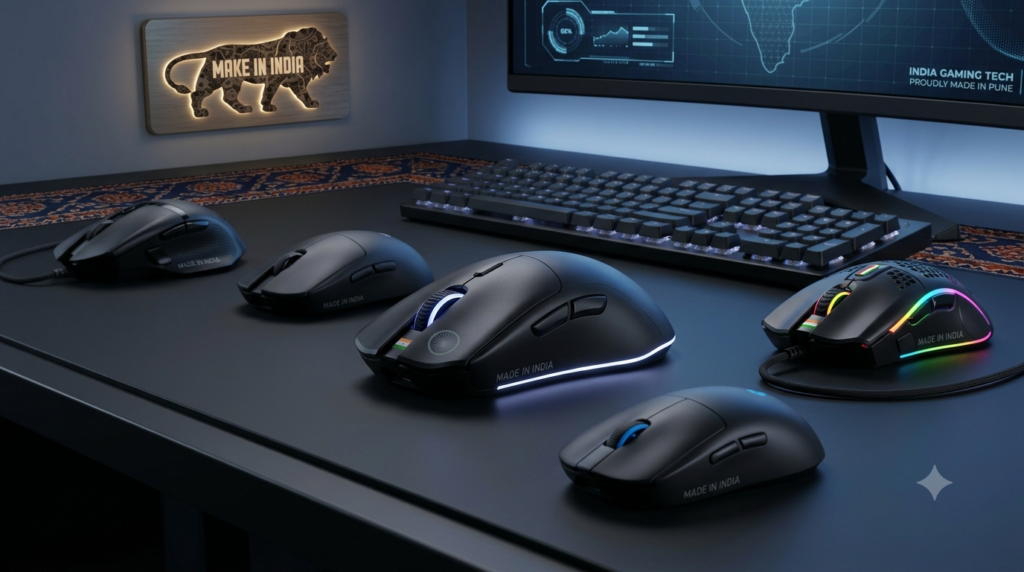
Gaming mice have evolved from simple pointing devices to precision instruments that can significantly impact your gaming performance, productivity, and comfort. Whether you’re a competitive gamer, content creator, or office professional, a good gaming mouse offers better accuracy, customizable DPI settings, ergonomic designs, and durable construction compared to standard mice. With options ranging from budget wired models to premium wireless gaming mice with advanced sensors, choosing the right one can be challenging. To help you make an informed decision, we’ve compiled a list of the best gaming mice in India across different price ranges and use cases.
Top Gaming Mice in India
- Type: Wired optical gaming mouse
- Connectivity: USB 2.0 wired connection
- Lighting: RGB lights for gaming aesthetics
- Cable: Braided wire for durability and tangle resistance
- Controls: DPI button for on-the-fly sensitivity adjustment
- Design: Ergonomic black finish for comfortable grip
- Best for: Entry-level gamers seeking RGB lighting and reliable performance
- Buttons: 6 programmable buttons for enhanced control
- DPI: Adjustable up to 3600 DPI for precision tracking
- Lighting: Rainbow RGB backlight with multiple effects
- Cable: 1.5m length for flexible positioning
- Design: Ergonomic grip for comfortable extended use
- Connectivity: USB wired connection
- Warranty: 1-year manufacturer warranty
- Best for: Budget gamers who want RGB and adjustable DPI
- Type: Wired gaming mouse
- Design: Gaming-focused aesthetics
- Compatibility: Designed for PC gaming
- Connectivity: USB wired connection
- Build: Durable construction for long-term use
- Best for: Casual gamers looking for affordable Zebronics quality
- Connectivity: Dual mode (2.4GHz wireless + Bluetooth)
- DPI: Up to 3200 DPI for accurate tracking
- Battery: Rechargeable 500mAh battery for extended wireless use
- Lighting: RGB LED for customizable aesthetics
- Buttons: 6 buttons for enhanced functionality
- Weight: 87g lightweight design for easy portability
- Features: Silent click technology for quiet operation
- Design: Ergonomic shape for comfortable grip
- Best for: Professionals and gamers who want wireless flexibility
- Sensor: Pixart 3311 optical sensor for precision tracking
- DPI: Up to 16000 DPI for extreme sensitivity
- Connectivity: Tri-mode (Bluetooth, 2.4GHz wireless, wired)
- Weight: 60g ultra-lightweight for fast movements
- Lighting: RGB with customizable effects
- Polling Rate: 1000Hz for ultra-responsive performance
- Software: Advanced software for button programming and macros
- Compatibility: Windows and Mac support
- Warranty: 2-year manufacturer warranty
- Best for: Competitive gamers seeking professional-grade performance
- Type: Wired USB gaming mouse
- Design: Gaming-focused aesthetics
- Compatibility: Designed for PC gaming
- Connectivity: USB wired connection
- Build: Durable construction for gaming sessions
- Best for: Budget-conscious gamers wanting reliable wired performance
- Type: Wired optical mouse
- Connectivity: USB connectivity
- Design: Ergonomic design for comfortable use
- Compatibility: Works with PC and laptop
- Build: Reliable Portronics quality
- Best for: Office users and casual gamers seeking affordable reliability
- Type: Wired gaming mouse
- Connectivity: USB connectivity
- Design: Gaming-focused design with aggressive aesthetics
- Compatibility: PC gaming optimized
- Build: Durable Zebronics construction
- Best for: Entry-level gamers who trust Zebronics brand
- Lighting: RGB LED for gaming aesthetics
- DPI: 1500 DPI high-accuracy sensor for precise tracking
- Scroll Wheel: Smooth scroll wheel for comfortable navigation
- Compatibility: Works with PC and laptop
- Connectivity: USB wired connection
- Best for: Budget users wanting RGB lighting and decent accuracy
- Buttons: 4 buttons for essential functionality
- Sensor: 1600 DPI optical sensor for accurate tracking
- DPI: 4 adjustable DPI levels for customized sensitivity
- Lighting: RGB lights for gaming aesthetics
- Features: Plug and play setup, no drivers needed
- Design: Ergonomic design for comfortable extended use
- Compatibility: Windows compatible
- Best for: Office users and casual gamers seeking affordable RGB mouse
Gaming Mouse Comparison Table
| Mouse Model |
Connectivity |
Max DPI |
Weight |
Key Features |
| ENTWINO VANTOR 4D |
Wired USB 2.0 |
Not specified |
Not specified |
RGB lights, braided wire, DPI button |
| EVM M06063 |
Wired USB |
3600 DPI |
Not specified |
6 buttons, rainbow RGB, 1.5m cable, 1-year warranty |
| ZEBRONICS WAR M |
Wired USB |
Not specified |
Not specified |
Gaming design, PC optimized |
| Acer Prism |
2.4G + Bluetooth |
3200 DPI |
87g |
Dual mode, silent click, 500mAh battery, RGB |
| KARNAGE Blink |
Tri-mode (BT/2.4G/Wired) |
16000 DPI |
60g |
Pixart 3311 sensor, 1000Hz polling, 2-year warranty |
| Arctic Fox |
Wired USB |
Not specified |
Not specified |
Gaming design, PC optimized |
| Portronics Toad 101 |
Wired USB |
Not specified |
Not specified |
Ergonomic, optical tracking |
| ZEBRONICS Uzi |
Wired USB |
Not specified |
Not specified |
Gaming design, USB connectivity |
| PROSAC RGB LED |
Wired USB |
1500 DPI |
Not specified |
RGB LED, smooth scroll wheel |
| pTron Flick M12 |
Wired USB |
1600 DPI |
Not specified |
4 DPI levels, RGB, plug and play |
How to Choose the Right Gaming Mouse
1. Select the Right Connectivity
Choose based on your gaming style and setup preferences:
- Wired: Zero latency, most reliable, no battery concerns – ideal for competitive gaming
- Wireless (2.4GHz): Low latency, clean setup, good battery life – great for most gamers
- Bluetooth: Multi-device support, longest battery life – best for productivity and casual use
- Tri-mode: Maximum flexibility with all three options – perfect for users who switch between gaming and work
2. Understand DPI and Sensor Quality
DPI (Dots Per Inch) determines mouse sensitivity:
- 800-1600 DPI: Ideal for office work and casual gaming
- 1600-3200 DPI: Good for most gamers and general use
- 3200-8000 DPI: Suitable for competitive gaming and fast-paced FPS games
- 8000+ DPI: Professional-grade for esports and extreme precision
Sensor quality matters more than maximum DPI. The Pixart 3311 sensor in the KARNAGE Blink offers excellent tracking accuracy even at high speeds.
3. Consider Weight and Ergonomics
Mouse weight affects control and fatigue:
- Lightweight (50-70g): Better for fast flicks and competitive FPS gaming (e.g., KARNAGE Blink at 60g)
- Medium (70-90g): Balanced for most gaming styles (e.g., Acer Prism at 87g)
- Heavy (90g+): Preferred by some for stability and control
Ergonomic design ensures comfortable grip during extended gaming or work sessions.
4. Check Button Count and Programmability
- 4-5 buttons: Sufficient for office work and casual gaming
- 6-8 buttons: Ideal for MMO, MOBA, and productivity with programmable macros
- Extra buttons: Useful for DPI switching, sniper buttons, and custom commands
5. Look for RGB and Aesthetics
RGB lighting is mostly aesthetic but can enhance your gaming setup:
- Single-color LED: Basic lighting
- Rainbow RGB: Multiple colors without customization
- Customizable RGB: Software-controlled colors and effects
6. Match Your Budget
Gaming mice in India range from ₹300 to ₹5,000+:
- ₹300-₹800: Basic wired gaming mice with RGB (ENTWINO, Zebronics, PROSAC)
- ₹800-₹1,500: Better sensors, adjustable DPI, braided cables (EVM, pTron)
- ₹1,500-₹3,000: Wireless options, dual-mode connectivity (Acer Prism)
- ₹3,000+: Premium wireless, tri-mode, high-end sensors (KARNAGE Blink)
Did You Know?
Interesting Facts About Gaming Mice
- The KARNAGE Blink’s Pixart 3311 sensor is the same sensor used in many premium gaming mice costing 2-3x more, making it exceptional value for competitive gamers on a budget.
- Tri-mode mice like the KARNAGE Blink can connect to three devices simultaneously and switch between them instantly, perfect for gamers who also use tablets or laptops for work.
- Lightweight gaming mice (under 70g) have become the standard for competitive FPS gaming in 2026, with pro players preferring 60g or less for faster flick shots and reduced wrist fatigue.
- Wireless gaming mice in 2026 have virtually zero latency thanks to advanced 2.4GHz technology, making them equally suitable for competitive gaming as wired mice while offering cleaner setups.
What Can You Use a Gaming Mouse For?
Gaming mice excel in various scenarios:
- FPS Gaming: High DPI and precise sensors for accurate aiming in games like CS:GO, Valorant, and Apex Legends
- MOBA/MMO Gaming: Programmable buttons for complex ability rotations in League of Legends, Dota 2, and WoW
- Office Work: Ergonomic designs and adjustable DPI for comfortable all-day use
- Content Creation: Precision tracking for photo editing, video editing, and graphic design
- General Use: Smooth scrolling and reliable performance for browsing and productivity
- Multi-device Workflows: Wireless and tri-mode mice for switching between PC, laptop, and tablet
Gaming Mouse Price Range in India
Prices vary based on features, sensor quality, and connectivity:
- ₹300 – ₹800: Entry-level wired gaming mice with basic RGB (ENTWINO VANTOR, Zebronics WAR M, PROSAC)
- ₹800 – ₹1,500: Mid-range with adjustable DPI, better sensors, RGB effects (EVM M06063, pTron Flick M12)
- ₹1,500 – ₹3,000: Wireless and dual-mode options with rechargeable batteries (Acer Prism)
- ₹3,000 – ₹5,000+: Premium tri-mode, high-end sensors, lightweight designs (KARNAGE Blink)
Frequently Asked Questions
Which gaming mouse is best for competitive FPS gaming?
The
KARNAGE by EVM Blink is the top choice for competitive FPS gaming with its Pixart 3311 sensor, 16000 DPI, 60g ultra-lightweight design, and 1000Hz polling rate. These specs match mice costing twice as much, making it exceptional value for serious gamers.
Which mouse is best for office work and productivity?
The
Acer Prism Dual Mode Wireless Mouse is ideal for office use with its silent click technology, dual-mode connectivity (2.4GHz + Bluetooth), rechargeable 500mAh battery, and ergonomic 87g design. The silent clicks won’t disturb colleagues in shared workspaces.
Are wireless gaming mice good for gaming?
Yes, modern wireless gaming mice like the
KARNAGE Blink and
Acer Prism offer excellent performance with minimal latency. The KARNAGE Blink’s 2.4GHz wireless mode has virtually zero latency, making it suitable for competitive gaming. Wireless technology has advanced significantly in 2026.
What DPI should I use for gaming?
DPI preference is personal, but general guidelines:
- 400-800 DPI: Preferred by many FPS pros for precise aim control
- 800-1600 DPI: Sweet spot for most gamers across all genres
- 1600-3200 DPI: Good for fast-paced games and high-resolution monitors
- 3200+ DPI: Useful for multi-monitor setups or very high DPI monitors
The
KARNAGE Blink and
EVM M06063 offer adjustable DPI so you can find your perfect setting.
Is a lightweight mouse better for gaming?
For competitive FPS gaming, yes. Lightweight mice (50-70g) like the
KARNAGE Blink (60g) reduce wrist fatigue and enable faster flick shots. However, some gamers prefer heavier mice (90g+) for stability. It’s personal preference, but the trend in 2026 favors lightweight designs.
Do I need RGB lighting on a gaming mouse?
RGB is purely aesthetic and doesn’t affect performance. If you enjoy customizing your gaming setup’s look, RGB is a nice bonus. If you’re on a tight budget or don’t care about aesthetics, you can save money with non-RGB models.
Final Verdict
The best gaming mouse depends on your specific needs, budget, and gaming style:
- Best Overall: KARNAGE by EVM Blink – Professional-grade Pixart 3311 sensor, 16000 DPI, 60g lightweight, tri-mode connectivity, and 2-year warranty at an incredible price.
- Best Wireless for Work & Gaming: Acer Prism Dual Mode – Silent clicks, dual-mode connectivity, rechargeable battery, and ergonomic design perfect for office and casual gaming.
- Best Budget RGB: EVM M06063 – 6 buttons, 3600 DPI, rainbow RGB, and 1-year warranty at an affordable price.
- Best Entry-Level Wired: ENTWINO VANTOR 4D – Braided cable, RGB lighting, and DPI button for budget-conscious gamers.
- Best for Office Use: Portronics Toad 101 – Reliable optical tracking, ergonomic design, and trusted Portronics quality for everyday productivity.
- Best Value RGB: pTron Flick M12 – 4 adjustable DPI levels, RGB lighting, plug and play, and ergonomic design at a budget price.
Before purchasing, consider your primary use case (competitive gaming, casual gaming, office work), preferred connectivity (wired vs wireless), DPI requirements, weight preference, and budget. Check current prices and availability on Amazon, as deals and stock vary frequently.
Did You Know?
Interesting Facts About Gaming Mice
- The KARNAGE Blink’s Pixart 3311 sensor is the same sensor used in many premium gaming mice costing 2-3x more, making it exceptional value for competitive gamers on a budget.
- Tri-mode mice like the KARNAGE Blink can connect to three devices simultaneously and switch between them instantly, perfect for gamers who also use tablets or laptops for work.
- Lightweight gaming mice (under 70g) have become the standard for competitive FPS gaming in 2026, with pro players preferring 60g or less for faster flick shots and reduced wrist fatigue.
- Wireless gaming mice in 2026 have virtually zero latency thanks to advanced 2.4GHz technology, making them equally suitable for competitive gaming as wired mice while offering cleaner setups.